Progress you can see
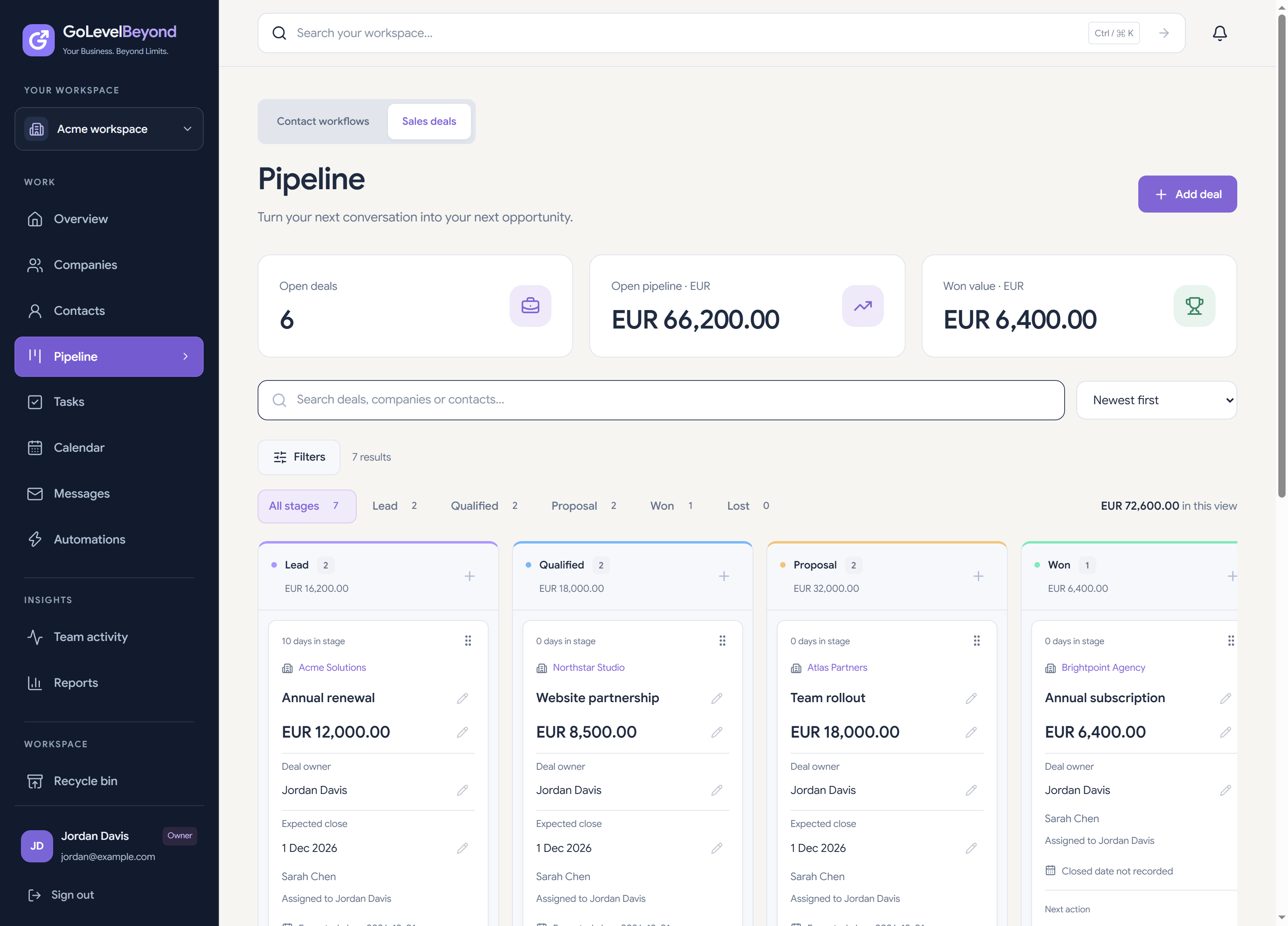
Move deals through Lead, Qualified, Proposal, Won and Lost. Review where opportunities sit and which ones need attention.
Sales pipeline management
A list of opportunities is useful only when your team knows who owns them and what comes next. Track the stage, value and next task for each deal in a shared pipeline.
Inside the workflow
Move deals through Lead, Qualified, Proposal, Won and Lost. Review where opportunities sit and which ones need attention.
Assign responsibility, track deal values and record expected close dates. Give your team a common view of the opportunities in progress.
Create linked tasks from opportunities. Follow up with the relationship and the sales context connected.
Find the opportunity in Proposal, review its owner and expected close date, and link a task for the next conversation. Your team can see both the deal and the action.
Yes. Use drag-and-drop on desktop or the stage controls to move a deal through the pipeline.
The sales deal pipeline currently uses five fixed stages: Lead, Qualified, Proposal, Won and Lost. Custom sales deal stages are not included.
Filter opportunities by owner, company, value, expected close date and attention. Stage age and overdue linked tasks help identify deals to revisit.