One company, all its contacts
Keep the people you work with connected to their company. Find contact details without separating the person from the relationship.
Client & contact management
When client information lives in separate notes and spreadsheets, the next conversation starts with catching up. Give your team one place to find the people, history and work behind each account.
Inside the workflow
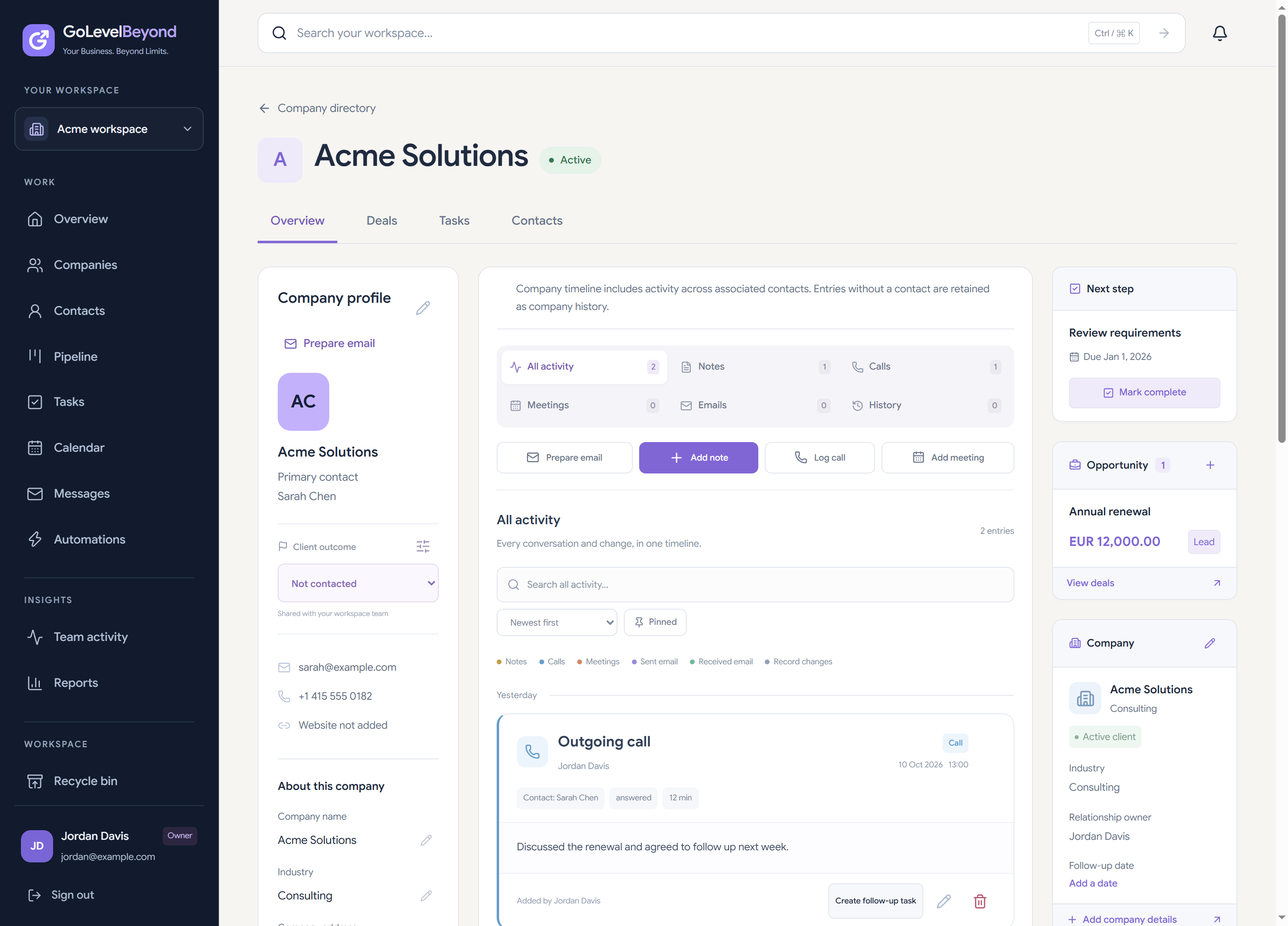
Keep the people you work with connected to their company. Find contact details without separating the person from the relationship.
Record notes, calls and meetings in the company profile. Teammates can pick up with the context already available.
See linked deals and tasks alongside the client record. Turn a conversation into an opportunity or a clear follow-up.
Open the company profile, review its contacts and activity, then check the linked deals and tasks. The next conversation starts from a shared record.
Import contacts from a CSV into existing companies. Map your columns and review the preview before importing. Current limits are 200 rows and 100 KB per file.
Use filters for ownership, status, tags and follow-up activity. Save useful views privately or share them with your workspace.
Notes, call logs and meetings can be recorded in the CRM. Mailbox connections and their availability depend on integration setup; this page does not promise automatic capture from every channel.